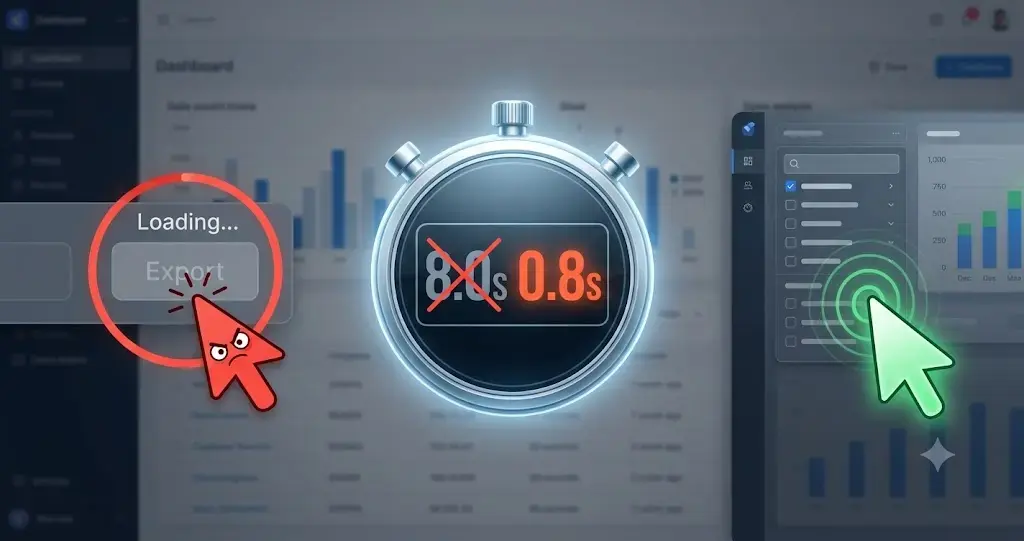
This is the “Rage Click” phenomenon. Your visual load time might be fine, but your JavaScript execution is paralyzing the browser’s main thread. To stop user churn, you must look beyond basic speed metrics and optimize Time to Interactive (TTI).
You just ran a speed test on your custom SaaS platform, and the results look decent. Your Largest Contentful Paint (LCP) is under 2.5 seconds, meaning the screen loads visually fast. But when your actual users log in, they are furious.
They see the dashboard interface, they click a button or try to type in a search field, and… nothing happens. The screen is frozen for 8 agonizing seconds before the application finally responds.
When a heavy dashboard feels sluggish, it destroys user trust and actively drives cancellations. Here is the technical roadmap for executing advanced front-end performance tuning to transform your heavy React or Next.js portal into a lightning-fast application.
The Bleeding Neck: The Illusion of Speed
In complex web applications like financial portals, analytics dashboards, or B2B SaaS platforms developers often ship massive JavaScript bundles to the browser.
The browser downloads the HTML and CSS quickly, giving the illusion that the page is fully loaded. However, in the background, the browser is struggling to parse, compile, and execute megabytes of heavy JavaScript. Until that JavaScript finishes executing, the page is essentially a static picture.
If your users are forced to wait 8 seconds before they can toggle a date range or open a dropdown menu, they perceive your software as broken. High TTI causes massive friction in the user journey, making your premium software feel like a cheap, fragile tool.
The Tourniquet: Advanced Front-End Performance Tuning
To optimize Time to Interactive, we have to put the browser on a diet. By utilizing elite custom web application development techniques, we break apart your monolithic JavaScript bundle and optimize the rendering lifecycle.
1. Aggressive Code Splitting
The most common mistake in single-page applications (SPAs) is sending the entire application’s codebase to the user the moment they log in.
If a user navigates to the “Overview” dashboard, they do not need the code that powers the “Billing Settings” or the “User Permissions” pages. We implement Code Splitting (often using Webpack or Next.js native routing). This technique breaks your massive JavaScript payload into tiny, route-specific chunks. The browser only downloads and executes the exact code required for the current screen, instantly freeing up the main thread and slashing your TTI.
2. Lazy Loading Non-Critical Components
Even on a single screen, not every component is critical. If your dashboard features a massive, data-heavy D3.js chart situated “below the fold,” or a complex modal window that only opens when a user clicks “Export,” those components should not block the initial load.
We implement Lazy Loading. The core layout (navigation, primary KPIs) loads and becomes interactive immediately. The heavy charts and hidden modals are deferred, fetching their JavaScript in the background only after the main thread is idle.
3. Optimizing the React Rendering Lifecycle
In React applications, poorly written state management causes unnecessary re-renders. If a user types a single letter into a search bar, and your poorly optimized app re-renders the entire page of 500 table rows, the interface will freeze.
To achieve enterprise-grade speed, we audit and refine the React lifecycle. By wrapping complex calculations in useMemo, memoizing functions with useCallback, and virtualizing long lists (so the browser only renders the 10 rows currently visible on the screen), we eliminate UI stuttering and ensure the application remains perfectly fluid.
Conclusion: Stop Bleeding Users to Sluggish UI
Your users do not care how powerful your backend algorithms are if the frontend buttons don’t work when clicked.
A high Time to Interactive is a silent killer of SaaS retention. When you optimize Time to Interactive, you bridge the gap between visual load and actual usability. By executing strict code splitting, lazy loading, and React lifecycle tuning, you guarantee that your application feels as premium and responsive as the price tag demands.
Is your SaaS dashboard suffering from “Rage Clicks”?
👉 Get a Free ‘Time-to-Interactive’ Performance Profile We’ll analyze your JavaScript bundles and main-thread blocking time to uncover exactly what is freezing your application.